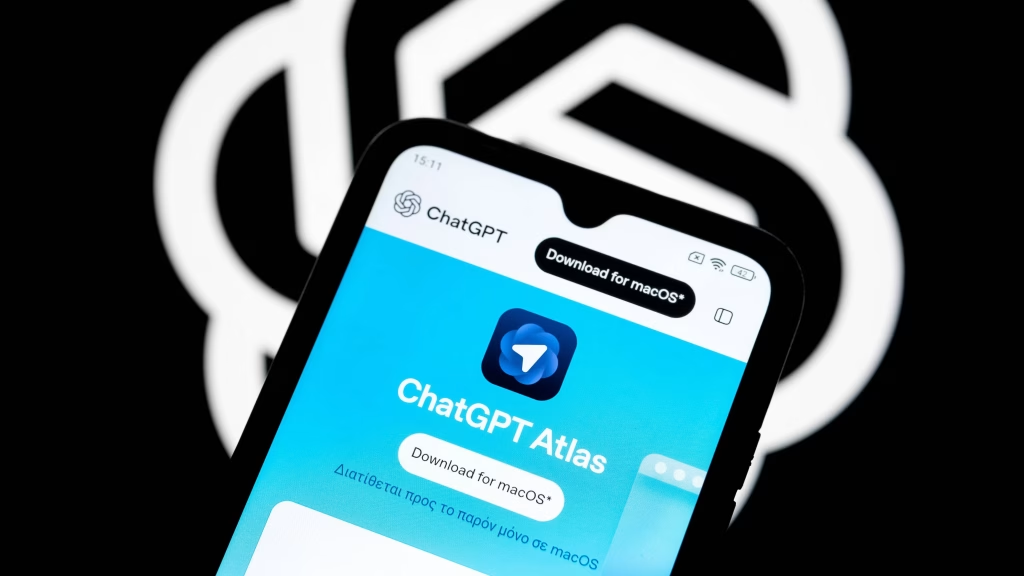
A month since it launched, the pace at which the ChatGPT Atlas for Mac is evolving is breathtaking. And the latest update to the AI-powered browser adds nine new features in a bid to make the app feel less like an experiment and more like a daily driver. Most notable among those additions is full support for iCloud passkeys: a security enhancement that leverages Apple’s encrypted credential system to make logging into websites easier without sacrificing safety.
Passkeys work in Atlas as they do in Safari and other macOS-native apps: when a supported website prompts the user to create one, the login information is stored in iCloud Keychain behind AES‑256‑GCM encryption and gated through Secure Enclave hardware. That is, sensitive information is never even visible to anyone, much less Apple, and can be synced across all Apple devices tied to the same Apple ID. The integration also supports upgrading existing accounts from passwords to passkeys, a change that eliminates phishing risks and reduces the attack surface for credential theft. For Mac users already embedded in Apple’s ecosystem, this addition makes Atlas a viable alternative to Safari without losing the convenience and security of native passkey management.
The update brings vertical tabs, too-a layout change long requested by those who favor a sidebar-based workflow. Vertical tabs aren’t cosmetic only; in Atlas’s adjustable sidebar, they let you dynamically resize them, freeing up horizontal space for content and making it easier to manage dozens of open pages. Combine this with the new option to select multiple tabs via Shift+click and the introduction of the ability to quickly cycle through the most recently used tabs with Control+Tab, and it becomes evident that Atlas is very much targeting power users who want efficient navigation.
Search customization gets a boost, too: whereas many Chromium-based browsers make Bing or privacy-focused engines the default, Atlas now allows users to set Google as the default search provider directly from within its settings. This change follows the same process detailed in standard browser search engine management, but its inclusion is notable given Google’s dominance and the fact that AI browsers often try to steer users toward their curated search experiences. For professionals reliant on Google’s indexing depth and accuracy, this option removes friction from daily research tasks.
Another productivity win is the new extension import functionality. Chromium-based Atlas already supported the vast ecosystem of Chrome-compatible extensions, but importing existing setups from Chrome means users will be able to carry over password managers, ad blockers, developer tools, and workflow automations without starting from scratch. This is especially true for those migrating from Chrome or Edge, where extension libraries often take on heavy customization to suit particular work habits.
The AI integration at the heart of Atlas also sees refinements: the Ask ChatGPT sidebar now responds faster, and an “Insert” button lets users drop AI-generated text directly into active documents or form fields. For Plus and Business subscribers, Agent Mode remains the standout capability that allows the AI to perform multistep actions, like compiling research briefs or navigating e-commerce sites. In testing, Atlas’s Agent Mode has demonstrated the ability to open product pages, check specifications, and produce comparison tables faster than manual browsing, though it still requires careful oversight to avoid errors or unintended actions.
Security-conscious users will realize that Atlas inherits all the strengths and risks of agentic browsing. While iCloud passkeys reduce credential theft exposure, the AI’s capability to click, type, and navigate on its own opens up potential vulnerabilities, such as indirect prompt injection-where malicious instructions hidden in web content could trick the AI into unsafe actions. OpenAI’s Chief Information Security Officer, Dane Stuckey, has admitted that “Prompt injection remains a frontier, unsolved security problem,” underlining cautious adoption.
Because Atlas is based on Chromium, it supports modern web standards and extension APIs, but its AI-first design turns the browsing paradigm upside down. New tabs open directly into a ChatGPT interface rather than a traditional search bar, encouraging users to start tasks conversationally. That can accelerate complex workflows-say, summarizing e-mail inboxes or generating structured reports-but it also forces users to provide the AI with broad visibility into their online activity. Those hoping to balance productivity gains against privacy concerns will find that Atlas offers incognito mode and memory controls that limit how much data it keeps.
With these updates, Atlas inches closer to becoming a full-featured alternative for mainstream browsers among Mac users-especially those looking for deep ChatGPT integration without giving up native macOS conveniences such as iCloud passkeys. Enhanced tab management, customizable search, seamless extension migration, and fine-tuned AI tools make it perfect for early adopters needing both speed and intelligence in everyday browsing.